Ebutor3.53
Publisher Description

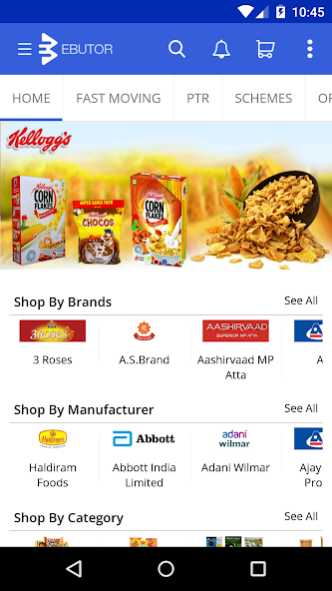
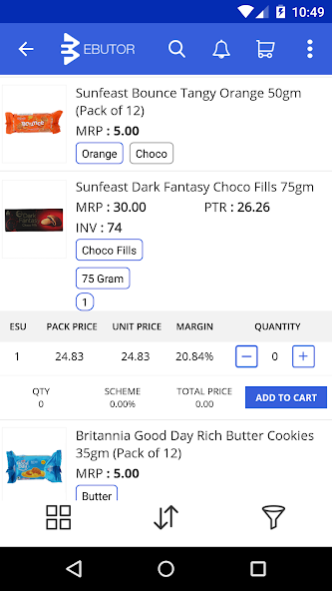
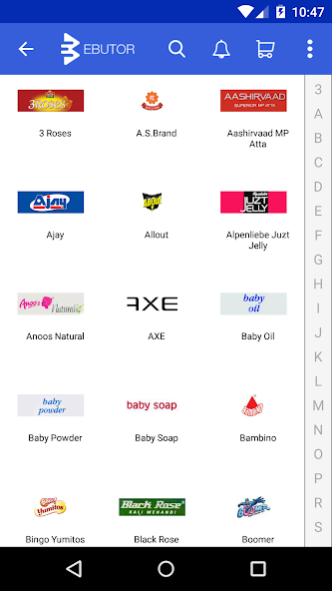
Ebutor is an online store for small retailers and professional customers such as hotels, restaurants, caterers, projects, workshops, cooperatives and other business professionals.
Retailers and professional customers can place orders on Ebutor app. Ebutor sources the products directly from the manufacturers and delivers to the customer's site using its distribution centers and efficient delivery network. Their benefits include:
1. Vast choice of multi-category & multi-brand products
2. Competitive pricing with attractive schemes
3. Faster and accurate delivery with real-time tracking
4. Ease of managing account, browsing product catalog, placing orders and handling returns
Ebutor helps global manufacturers expand market and secure growth through the next decade. Their benefits include:
1. Expand reach - access a vast amount of customers across the geography
2. Test and expand into new markets with minimal cost and risk
3. Superior technology that connects to ERPs and manages order fulfillment
4. Builds product content and increases online presence
5. Gain rich sales analytics and market intelligence
Ebutor currently works with multiple brands across the categories and serves thousands of retailers.
Business Timings 9:00 AM - 10:00 PM.
Customer Support Contact No: 04066006442
About Ebutor
The company that develops Ebutor is Suneratech. The latest version released by its developer is 3.53.
To install Ebutor on your Android device, just click the green Continue To App button above to start the installation process. The app is listed on our website since 2021-04-20 and was downloaded 5 times. We have already checked if the download link is safe, however for your own protection we recommend that you scan the downloaded app with your antivirus. Your antivirus may detect the Ebutor as malware as malware if the download link to com.ebutor is broken.
How to install Ebutor on your Android device:
- Click on the Continue To App button on our website. This will redirect you to Google Play.
- Once the Ebutor is shown in the Google Play listing of your Android device, you can start its download and installation. Tap on the Install button located below the search bar and to the right of the app icon.
- A pop-up window with the permissions required by Ebutor will be shown. Click on Accept to continue the process.
- Ebutor will be downloaded onto your device, displaying a progress. Once the download completes, the installation will start and you'll get a notification after the installation is finished.
Program Details
System requirements
Download information
Pricing
Version History
version 3.53
posted on 2021-04-20
version 3.17
posted on 2020-04-06
1. Optimized the Consumer Registration flow.
2. Optimized checkout page.
3. Minor Bug Fixes.
version 3.16
posted on 2020-03-27
Add Consumer Type to Self Login.
Minor Bug Fixes.
version 3.15
posted on 2020-03-21
1.Introducing Micro Services while checkin into retailer.
2. Field Force Managers can Search and track the Field Force officers daily orders in map.
3. Fabric Migrated to Fire base Crash Analytics.
4. Image Compressed while upload the new brand.
5.Minor Bug Fixes.
version 3.14
posted on 2020-03-08
We have added new brand request feature at the checkout view to upload new brands details with images
API Encryption to secure data
Minor bug fixes.
version 3.13
posted on 2020-02-25
Minor bug fixes.
version 3.07
posted on 2020-01-13
1) New UI design for routes view for Beat/Route search
2) New UI design with advance filters will be shown upon swiping Left
3) Retailer sales data will be shown to the FF user upon clicking on the ‘Retailer Sale Data’ from right menu after retailer check-in.
4) New retailer registration for the FF user 'Customer type' & 'Segment' values will be auto selected.
version 3.06
posted on 2019-12-30
Splash Screen optimization.
Minor Bug Fixes.
version 3.04
posted on 2019-11-08
Changed the whole app color.
version 3.03
posted on 2019-10-21
Added Field Force Mangers Dashboard
